

Marketing Director
About
— K Brodie
How SphereCard Supports Your Business Identity
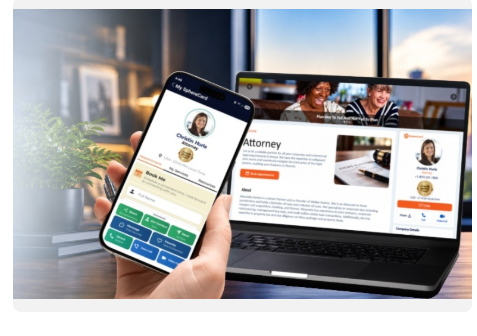
SphereCard has several display widgets to choose from. A widget like this one consolidates your key details, service information, communication options, and supporting links into a single, consistent format. Visitors can review your offerings, contact you, schedule appointments, view reviews, or navigate your website on any device. The layout is optimized for quick navigation and real‑time sharing, keeping your identity clear, accessible, and ready for everyday opportunities.
The Resource section lets you label your website link with
titles such as “Learn More,” “Our Website,” or “My Website,” giving visitors a
direct path to your full site while keeping your most important details easy to
access on mobile.
Below is how to get started setting up your SphereCard. Begin with the first video.
Next, set up the universal parts of your SphereCard. These
sections appear on every SphereCard and help people recognize you instantly.
Then, explore the optional widgets you can use to display
your services, offers, listings, or products. Activate any widget by checking
the “Use” box. Each widget presents your information in a clear, actionable
format so people can quickly understand what you offer.
Next, learn how to share your SphereCard — whether in
person, online, or anywhere someone can scan and save your information
instantly.
Once your SphereCard is set up, people can connect with you,
work with you, and trust your reputation.
Our support team helps you move forward with confidence as you
build your Interactive Business Identity. If you prefer a turnkey setup, we
learn your business, structure your information, and assemble the entire system
for you. And whenever you need support, we’re here.
Sphere Head





Reviews
Resources
Social Media


